
Every walk has a story
Dog park visits: record the walk and the play with PupMarks
Record the walk to the dog park, save play stops and add photos or notes. Revisit your dog’s outings in Pup Diary with PupMarks for iPhone and Android.
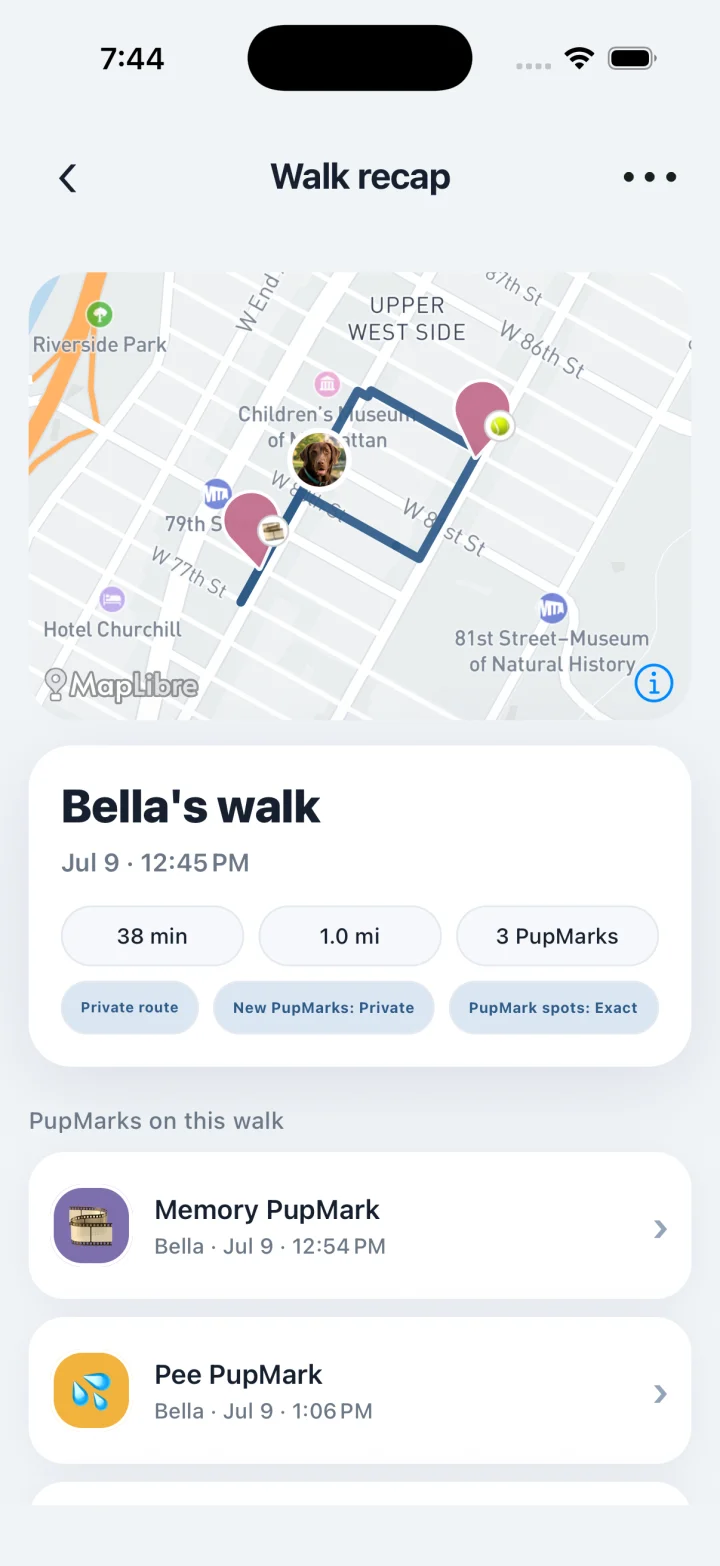
A trip to the dog park can become part of your pup’s story. Record the walk there with your phone, then save a play PupMark with a photo or note at a comfortable stop. A new friend, a favorite ball or a muddy afternoon can all have a place in the diary.
Does PupMarks help me find a dog park near me?
No. PupMarks is a dog walk diary, not a park directory. Confirm opening hours, designated off-leash areas, entry requirements and park rules with the park operator before you go. Then use PupMarks to record your outing and save moments from the visit. This guide explains how to keep those memories in PupMarks, rather than providing a directory of parks.
Can I record a dog park visit with PupMarks?
Yes. Record the walk to and from the park, or save a PupMark on its own during your visit. Choose Play for a play stop and add an optional photo or note. Recording a walk requires location access; its distance is an estimate, not a measure of every step your dog takes.
Can I keep a diary of my dog’s park visits?
Yes. Revisit saved walks and PupMarks in your pup’s profile or Pup Diary. Add a short note such as “Met a new friend by the gate” to remember the visit behind the photo. Recent history is available within the free window shown in the app; optional PupMarks Plus provides access to older saved history.
Can I share a park photo without sharing my exact walk route?
Yes. Exact recorded routes are visible only to the walk’s owners and a person with active, owner-approved walking access. Each PupMark has separate audience and pin-precision choices. Review those choices, your photo and your note before sharing a park moment.
Who is PupMarks for at the dog park?
If your pup loves the dog park, PupMarks can hold the memories from the trip. It suits:
- Regulars. Save a play PupMark each visit and the diary becomes a record of every favorite ball and new friend.
- Puppy owners. First park days are big. A photo and a short note keep them easy to find later.
- Households with two or more dogs. Pick the pups before the walk, then choose which pups each PupMark belongs to.
- People who share photos but keep routes private. Each PupMark has its own audience and pin precision.
Step by step: record a park visit and save a play PupMark
- Open PupMarks and tap Walk.
- Choose the pups coming along.
- Tap Start walk as you leave home.
- At the park, at a comfortable stop, open Stamp and choose Play.
- Add a photo or a short note, such as “Met a new friend by the gate.”
- Choose the audience and location detail, then tap the stamp button to save the PupMark.
- Tap Stop when you are back home.
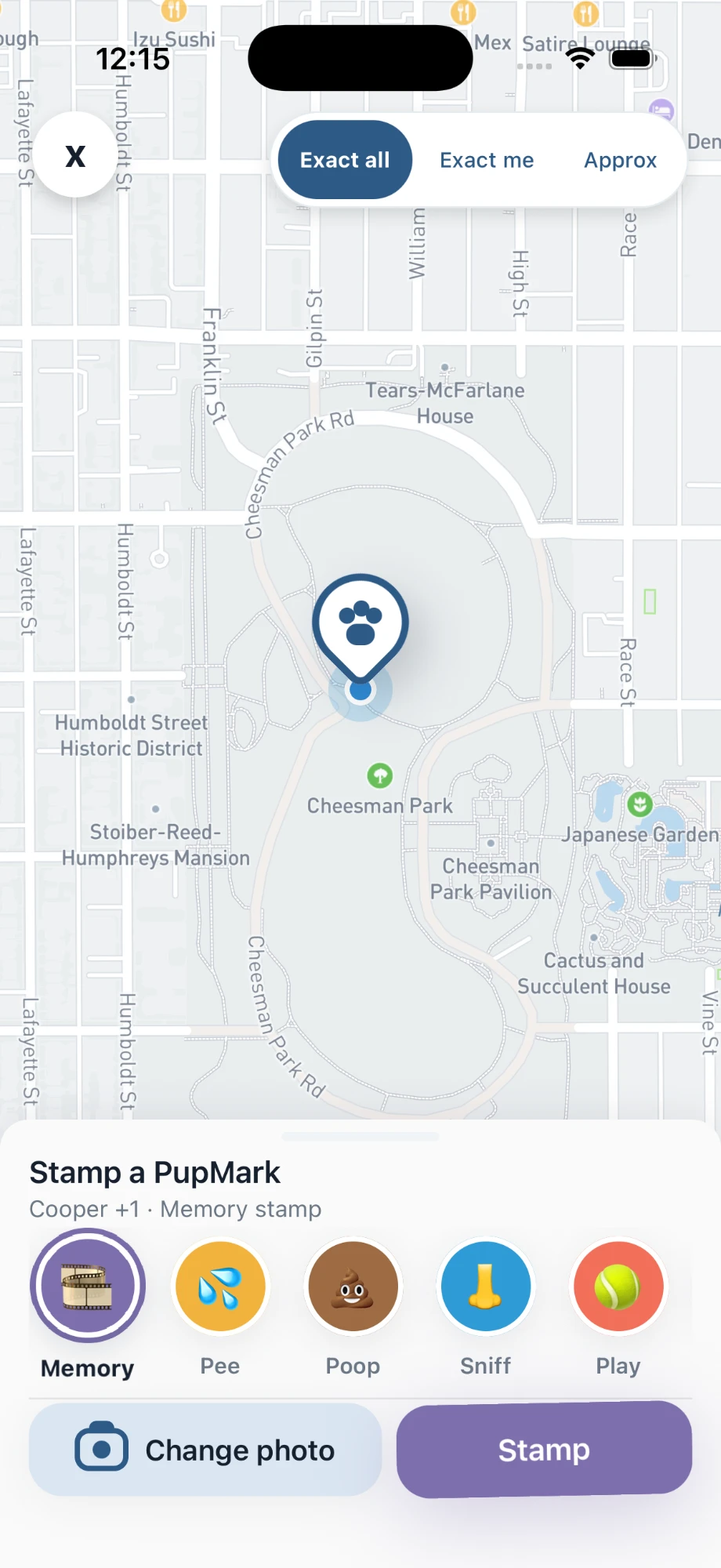
Step by step: look back at the visit
- Open Pup Diary.
- Scroll the Timeline to find the walk and the play PupMark.
- Use the Insights tab to see the weekly recap, including walks, distance and days out for each pup.
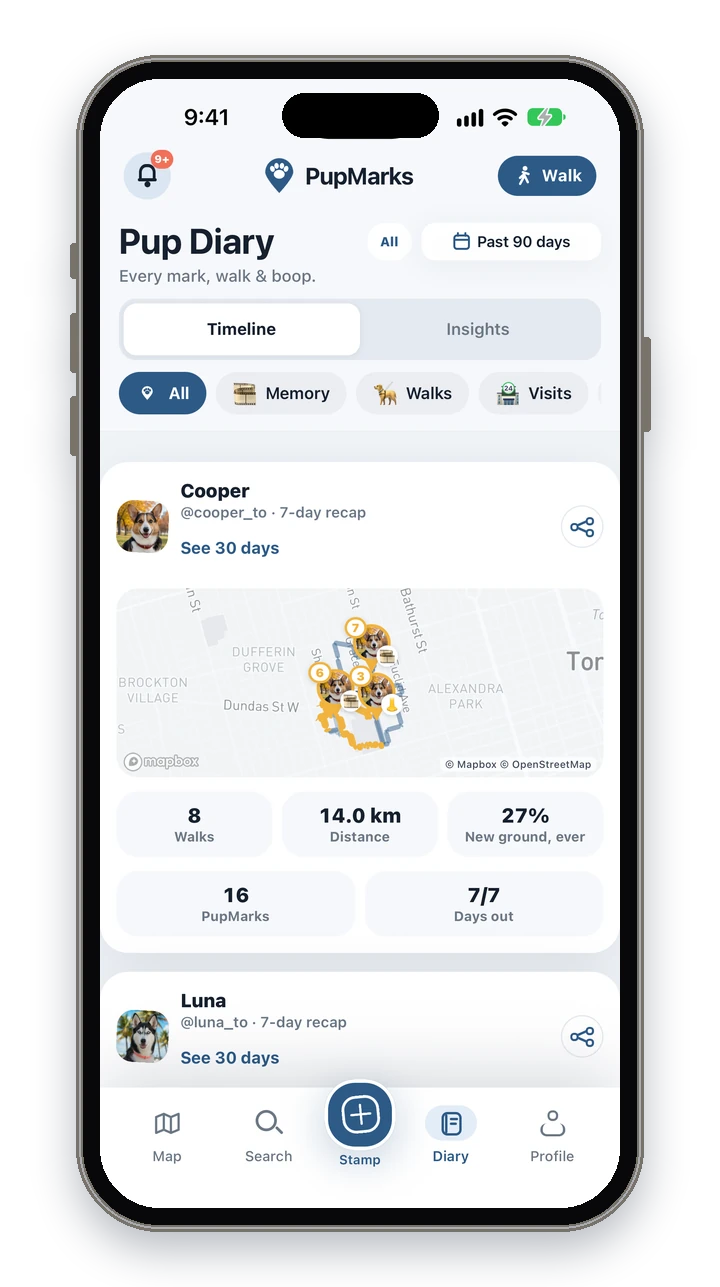
A short note stays with its PupMark, so it appears next to the photo when you scroll the Timeline.
Using PupMarks on a park day
Start the walk before you leave home so the trip there is part of the story. At the park, save a play PupMark when your pup settles down or meets a friend, and keep your attention on your dog rather than the screen. A few words are enough. “Chased the red ball twice” will bring the afternoon back months later.
Before you share a park photo, glance at the background and your note. Choose the audience for that PupMark, and pick an approximate pin if you would rather not show the exact spot. Park rules and conditions come from the park itself, so confirm them with the operator before you go.
If you take more than one pup, pick them all before you tap Start walk. In the Stamp sheet you can then choose which pups each PupMark belongs to, so every dog’s park day lands in the right diary. Recording uses your phone’s location (GPS) while a walk is active and ends when you tap Stop, so stop the walk once you are home.
Frequently asked questions
Is PupMarks free?
Free to download. Owner features and recent saved history work without a subscription. Optional PupMarks Plus adds older saved history. Check the app for the current free history window, subscription price, and terms.
Does it work on iPhone and Android?
Yes. PupMarks is on the App Store for iPhone and on Google Play for Android.
Can I walk two dogs to the park at once?
Yes. Choose both pups before the walk starts, then choose which pups each PupMark belongs to in the Stamp sheet.
Does recording a walk use battery?
Recording uses your phone’s location (GPS), which uses battery while a walk is active. Recording ends when you tap Stop.
Will the route be exact inside the park?
Not always. Buildings, trees and phone settings can affect GPS estimates, so treat distance as an estimate.
Who can see my walk route?
Only the walk’s owners and a walker with active access can see the exact route. A shared summary keeps the exact route private.
Does PupMarks tell me which dog parks are open?
No. PupMarks is a dog walk diary, not a park directory. Check with the park operator for hours and rules.
Do I have to record the whole walk to save a park moment?
No. You can save a PupMark on its own during your visit, with or without a recorded walk.
Related guides
- Walk recording guide: the steps for recording a walk.
- Dog diary guide: photos and notes for everyday memories.
- Sharing guide: audience and location choices for each PupMark.