Only the selected pups
The request covers only the dog or dogs the owner chose, not the owner’s whole account.
For trusted dog walkers
A dog owner can delegate one or more pups to a walker for a defined window. The walker accepts the request, records the assigned walk, adds PupMarks along the way, and finishes with a recap for the owner.
How it works
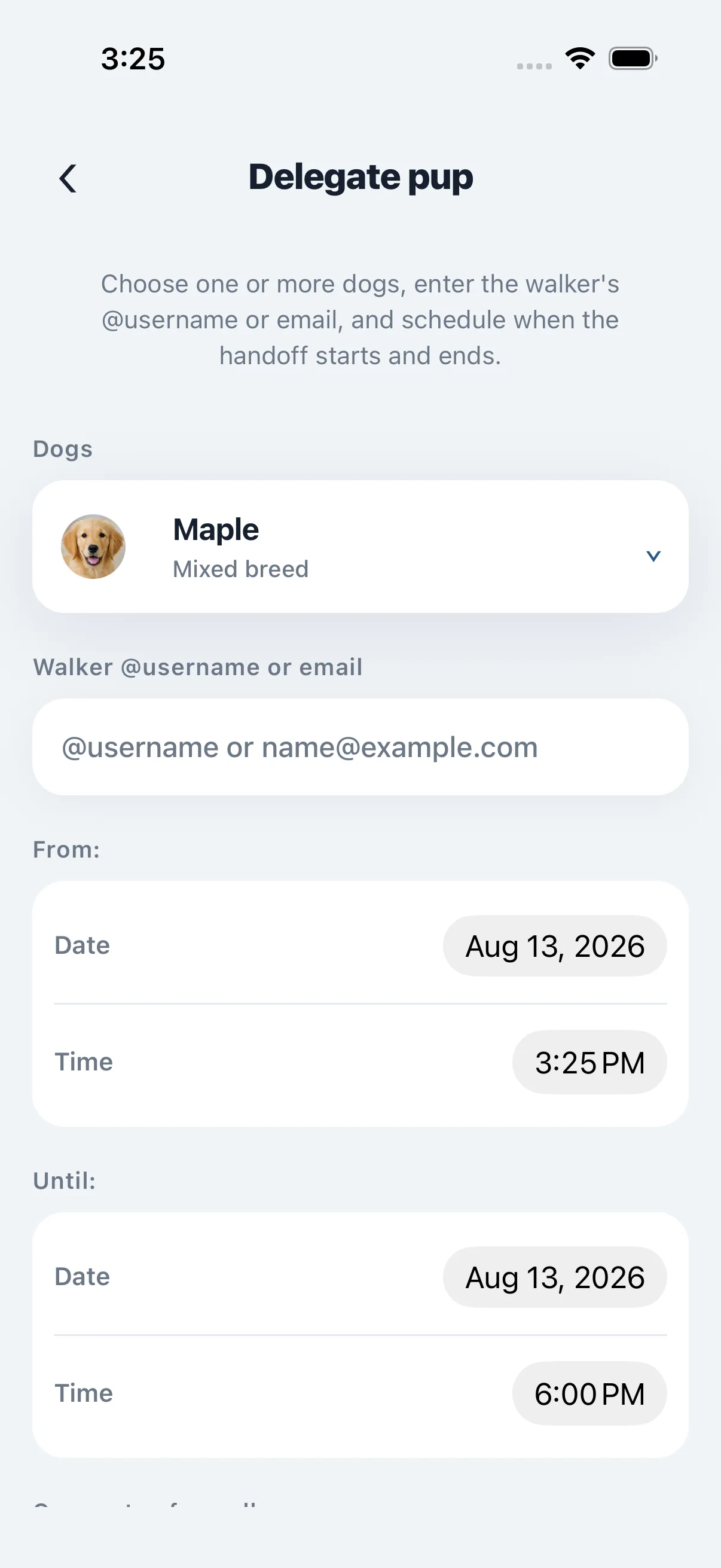
The owner chooses the dog, enters the walker’s PupMarks username or email, and sets when access starts and ends.
The request appears in the walker’s Activity Feed. Nothing is handed over until the walker accepts it.
During the active window, the delegated pup appears in the walker’s pack. The walker can start a walk, record it, and stamp PupMarks for stops and moments along the way.
After the assigned walk is complete, the walker can send the dog’s human the saved recap and PupMarks in PupMarks. The owner receives the walk receipt in their Activity Feed.
Inside the app
Track the route, save PupMarks along the way, and give owners a polished recap when the walk is done.
Built around the owner’s control
The request covers only the dog or dogs the owner chose, not the owner’s whole account.
Access starts and ends on the schedule chosen by the owner. The owner can end walker access early.
The exact route stays inside the authorized walk experience. The public map and public recap do not publish the exact route path.
Ready for the next handoff?
Download the app, create your own account, and have the dog’s owner send the delegation to your PupMarks username or email.